At the end of Episode 4, this code appeared:
*(uint32_t*)0x40020018 = (1UL << 5); // write directly to BSRR
“It uses a pointer,” we said — but honestly, does it still feel scary? This episode fully decodes its true nature.
Pointer = typed address. That’s all.
With this “typed address” perspective, GPIOA->BSRR and *(uint32_t*)0x40020018 are doing exactly the same thing. Once you understand pointers, you can instantly read what CMSIS headers are doing.
📖 Previous Article
#4: The World of Bits — Register Operations and the BSRR Design
📍 Series Index
✅ What You'll Be Able to Do After This Article
- Explain
uint32_t* ptr,&x, and*ptrin your own words - Instantly distinguish the
*in a declaration from the*as an operator - Decompose
(uint32_t*)0x40020018from the inside out and read it - Explain what
GPIOA->BSRRis doing internally - Open a CMSIS header and read
GPIO_TypeDefyourself - Write and run LED-blink code that directly manipulates GPIO with raw pointers
Table of Contents
- Three Reasons Pointers Trip People Up
- What Is a Pointer?
- Declaration, Referencing, and Dereferencing
- Type and Pointer Arithmetic
- What Casts Mean
- Memory-Mapped I/O — Touching Hardware with Pointers
- What CMSIS Does — Decoding GPIO_TypeDef
- Practice: Directly Manipulate GPIO with Pointers
- Pointer Applications — Passing Pointers as Function Arguments
- Frequently Asked Questions (FAQ)
- Episode 5 Summary
Three Reasons Pointers Trip People Up
Before the main content, let’s clarify “why do pointers feel hard?” Knowing the causes means fewer stumbling blocks as you read.
Reason 1: * has two faces
uint32_t* ptr;   // * in declaration: marks "this is a pointer variable"
*ptr = 100;      // * as operator: "read/write the thing ptr points to"
The same symbol has completely different meanings. This duality is the biggest source of confusion. We’ll handle this with extra care.
Reason 2: “Addresses” feel abstract
0x20000000 doesn’t mean anything at a glance — and that’s natural. But swap in “street address” and it becomes concrete. A pointer is a variable that remembers “where to find the data.”
Reason 3: Bugs “break silently”
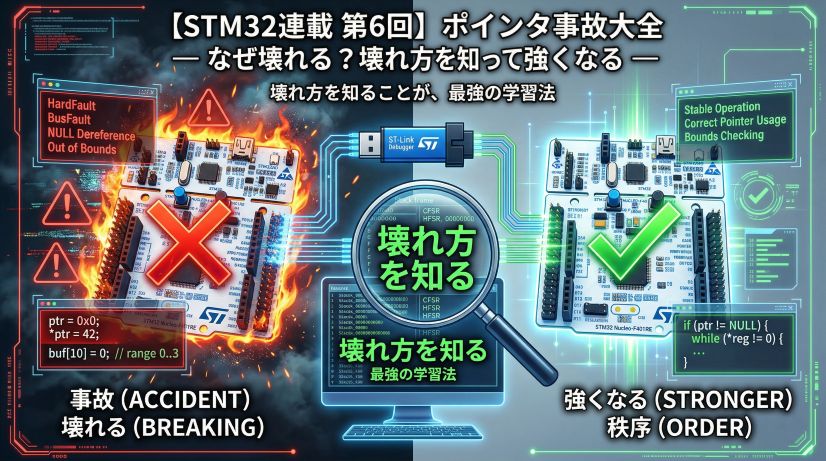
Pointer misuse doesn’t cause compilation errors — it causes unpredictable behavior at runtime. Not knowing why it breaks keeps it scary. Episode 6 covers “how things break” in depth. For now, this episode is about fully understanding correct usage.
1. What Is a Pointer?
1-1. Variable Review — A Variable Is a “Named Box”
Start with variables.
uint32_t x = 42;
This code “creates a 32-bit-wide box named x and puts 42 inside it.”
From the CPU’s perspective:
Memory (RAM)
Address    Contents
0x20000000: [ 42 ]  ← x lives here
0x20000004: [  0 ]
0x20000008: [  0 ]
...
Variable x is just a 32-bit region allocated somewhere in RAM (for example, 0x20000000). The name “x” is a label managed by the compiler — to the CPU, it’s just an address.
1-2. Why Are Pointers Needed?
“If variables have names, why do we need pointers?” Three situations where pointers are necessary:
Situation 1: Modify two or more values simultaneously
“Just use return” you might think — but return can only return one value.
For example, “get both minimum and maximum from ADC readings” with one function:
// return can only give back one value
uint32_t get_min(uint32_t* buf, int len) { ... }  // just min
uint32_t get_max(uint32_t* buf, int len) { ... }  // just max
// have to call twice

// With pointers, one call can modify both
void get_min_max(uint32_t* buf, int len, uint32_t* out_min, uint32_t* out_max) {
    *out_min = buf[0];
    *out_max = buf[0];
    for (int i = 1; i < len; i++) {
        if (buf[i] < *out_min) *out_min = buf[i];
        if (buf[i] > *out_max) *out_max = buf[i];
    }
}

// Caller side
uint32_t sensor_buf[4] = {30, 5, 80, 12};
uint32_t min_val, max_val;

get_min_max(sensor_buf, 4, &min_val, &max_val);

// After the function returns
// min_val → 5   (modified via pointer)
// max_val → 80  (modified via pointer)
In embedded systems, reading “temperature and humidity in one call” or “returning both error code and result simultaneously” are common. This is why many HAL function arguments are uint32_t*.
Situation 2: Pass large data to a function efficiently
Passing an array of 100 sensor readings by value creates 100 copies. Pointer passing sends just the address (4 bytes). With limited memory in embedded systems, this matters.
// ❌ Struct by value: 400 bytes (100 items) copied onto the stack
typedef struct { uint32_t data[100]; } SensorBuf;

void process_copy(SensorBuf buf) {
    // buf is a copy of the original. Consumes 400 bytes of stack.
}

// ✅ Pointer passing: only 4 bytes (the address) are passed
void process_ptr(uint32_t* buf, int len) {
    // buf is the start address of the original array. No copy at all.
}

SensorBuf sensor_data;
uint32_t  raw_data[100];

process_copy(sensor_data);        // 400 bytes of stack consumed
process_ptr(raw_data, 100);       // only 4 bytes (the address)
Note: C can’t pass raw arrays by value Even writing
void f(uint32_t buf[100]), C doesn’t copy the array — it becomes the same asvoid f(uint32_t* buf)internally. Wrap in a struct or use pointer passing.
The STM32F401 has only 96 KB of RAM. Copying large structs every function call would quickly exhaust the stack.
Situation 3: Manipulate hardware registers (the embedded main point)
// "Write to address 0x40020018" cannot be written without pointers
*(volatile uint32_t*)0x40020018 = (1UL << 5);
Hardware registers have fixed addresses. Writing to them directly requires “a pointer pointing to that address.” This is the fundamental reason pointers are studied in this series.
1-3. A Pointer Is a “Variable That Carries an Address”
So what is a pointer variable?
Pointer variable = a variable that stores an address
If an ordinary variable is “a box that holds a value,” a pointer variable is “a box that holds an address.”
⚠️ Image not found: /posts/stm32-episode05/pointer_concept.jpg
Think of a delivery label:
| Ordinary variable | Pointer variable |
|---|---|
| The box itself (apples inside) | A label saying “the goods are at this address” |
| Open the box to get contents | Go to that address to get the contents |
Memory (RAM)
Address         Contents                   Description
0x20000000: [    42    ]  ← x itself (the apple)
0x20000004: [0x20000000]  ← ptr ("go to 0x20000000" — the label)
Pointer variable ptr lives somewhere in memory too, but its contents are “an address to another location.”
Critical point: ptr and *ptr are different things
ptr  = 0x20000000    ← the "address" written on the label
*ptr = 42            ← the "contents" found at that address
ptr and *ptr are completely different values. When using pointers, always be conscious: “am I talking about an address, or about the contents at that address?”
1-4. The Essence: “Typed Address”
Here’s the core.
A pointer isn’t just a number (address). It’s an address with type information attached.
uint32_t* ptr;   // "pointer to a uint32_t — points to where a uint32_t lives"
uint8_t*  ptr8;  // "pointer to a uint8_t  — points to where a uint8_t lives"
Why is the type necessary? Two reasons:
| Reason | Explanation |
|---|---|
| Determines read/write size | uint32_t* accesses 4 bytes, uint8_t* accesses 1 byte |
| Determines pointer arithmetic step size | ptr + 1 advances the address by the size of the type |
An address alone doesn’t tell you “how many bytes to read.” The type is what determines “how big a chunk to read/write.”
Reading address 0x20000000 as uint32_t → read 4 bytes
Reading address 0x20000000 as uint8_t  → read 1 byte
“Address + type” is the true nature of a pointer.
2. Declaration, Referencing, and Dereferencing
2-1. Declaration
uint32_t* ptr;
//  ↑         ↑
// type info  * indicating "this is a pointer"
This declares a variable ptr that “holds the address where a uint32_t is stored.”
⚠️ The
*position problem: this is the source of confusionThese three are all the same:
uint32_t* ptr;   // * attached to type (this series' style)
uint32_t *ptr;   // * attached to variable name (older C style)
uint32_t * ptr;  // * in the middle
The compiler generates identical code for all three. Since different people use different styles, reading others’ code often leads to “wait, which is this?”
Multiple declarations are tricky:
uint32_t* a, b;   // a is a pointer, b is an ordinary uint32_t (!)
uint32_t *a, *b;  // both a and b are pointers
The
uint32_t*style makes it look like “a and b are bothuint32_t*type,” but*only applies to variablea. Many people have been caught by this.This series uses
uint32_t* ptrconsistently (one variable per declaration, so no practical issue).
🔑 Column: Understanding
*’s Two FacesThe biggest confusion with pointers.
*has completely different meanings depending on context.①
*in a declaration (part of the type)uint32_t* ptr; // part of the type declaration: "ptr is a pointer variable"This isn’t an operation — it’s a notation in the declaration meaning “this variable stores an address.” Read
uint32_t*as “uint32_t pointer type.”②
*in an expression (dereference operator)*ptr = 100; // operator: "go to the address ptr holds and read/write there"Putting
*in front of an existing pointer variableptrmeans “go to the address held byptrand read/write there.”How to distinguish:
Location Meaning How to tell Right of type, left of variable name (declaration) “This is a pointer type” mark Appears to the left of =Inside an expression (assignment, calculation) “Operate on what’s pointed to” operator Appears in front of an existing variable name Same character, different meanings — a quirk of C’s design. With practice, you distinguish them instantly.
2-2. Getting an Address with & (Address Operator)
Use & (ampersand) to get the address of variable x:
uint32_t  x   = 42;
uint32_t* ptr = &x;  // assign x's address to ptr
&x returns “the memory address where x lives.”
What’s happening, line by line:
① uint32_t x = 42;

   The compiler allocates a 4-byte region for x somewhere in RAM
   Example: allocates at 0x20000200 and writes 42 there

   RAM
   0x20000200: [ 42 ]  ← x's actual location

② &x

   "Tell me the address where x lives"
   → returns the number 0x20000200

③ uint32_t* ptr = &x;

   Assign that address (0x20000200) to variable ptr

   RAM
   0x20000200: [     42     ]  ← x
   0x20000204: [ 0x20000200 ]  ← ptr (remembers x's address)
How to read
&Read&xas “address of x” — not “ampersand x” but “address of x” said aloud helps the meaning sink in.
About the actual address value
0x20000200is just an example. The actual address changes each build (depending on where other variables are placed). “The concrete value isn’t known until runtime” is fine — the debugger showsptr’s value for confirmation.
What do you do with the obtained address?
After ptr = &x, what you actually want is to “pass that address to another function”:
uint32_t x = 42;
uint32_t* ptr = &x;

// Use ①: modify x via ptr (dereference)
*ptr = 100;
// → x becomes 100

// Use ②: pass ptr to a function so the function can modify x
void set_value(uint32_t* p) {
    *p = 999;  // modify the value at the received address
}
set_value(&x);   // pass x's address
// → x becomes 999

// Use ③: pass to HAL functions (typical embedded usage)
uint32_t adc_result;
HAL_ADC_Start(&hadc1);
HAL_ADC_PollForConversion(&hadc1, 100);
adc_result = HAL_ADC_GetValue(&hadc1);
// ↑ &hadc1 passes "the address of hadc1"
//   the HAL function reads/writes hadc1's internals through it
&x is almost never used standalone — it’s either “passed to someone” or “assigned to a pointer variable.”
& can only be used on variables, not literals or expressions:
uint32_t x = 42;

uint32_t* p1 = &x;    // OK: get address of a variable
uint32_t* p2 = &42;   // Error: 42 is not stored anywhere
uint32_t* p3 = &(x+1);// Error: computation result has no address
2-3. Dereferencing with *
To read or write the value that a pointer points to, use * (asterisk). This is called dereferencing.
uint32_t  x   = 42;
uint32_t* ptr = &x;

uint32_t val = *ptr;  // read the value at ptr's target (x) → 42
*ptr = 100;           // write 100 to ptr's target → x becomes 100
*ptr means “go to the address held by ptr and read/write there.”
ptr = 0x20000000

What *ptr means:
  → go to address 0x20000000
  → read/write using uint32_t size (4 bytes)
Stepping through:
① After: uint32_t x = 42;

  Memory
  0x20000000: [ 42 ]   ← x

② After: uint32_t* ptr = &x;

  Memory
  0x20000000: [   42   ]  ← x
  0x20000004: [0x20000000] ← ptr (holds x's address)

③ After: *ptr = 100;

  "Go to the address ptr holds (0x20000000) and write 100 there"

  Memory
  0x20000000: [  100  ]   ← x changed to 100!
  0x20000004: [0x20000000] ← ptr itself unchanged

  → Since x and *ptr refer to the same location, x's value is now 100
🔩 Column: What the CPU Does When
*ptr = 100Writing
*ptr = 100;in C becomes the CPU instruction STR (Store Register):C language ARM assembly (Cortex-M) *ptr = 100; → MOV r1, #100 ; put 100 into r1 STR r1, [r0] ; write r1 to the address in r0
r0holds the pointer value (address),r1holds the value to write. The STR instruction electrically executes the write to that address.Conversely,
val = *ptr;becomes LDR (Load Register):val = *ptr; → LDR r1, [r0] ; load from address in r0 into r1The register write
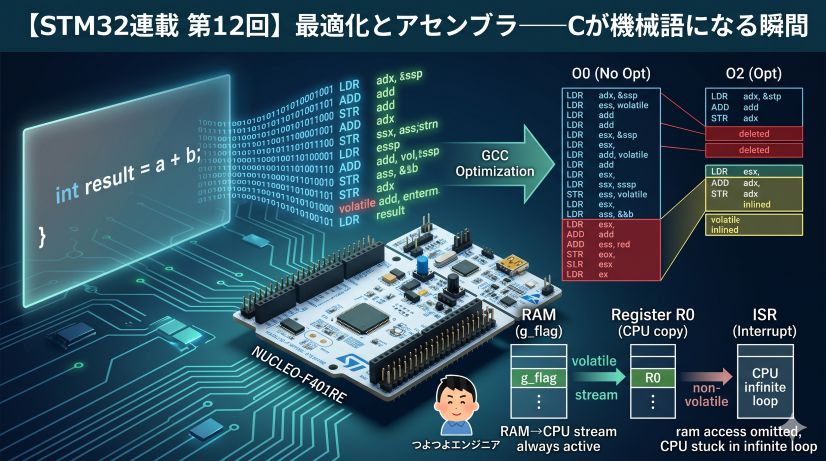
GPIOA->BSRR = (1UL << 5)is ultimately the same STR instruction. From C to assembly to actual electrical signals — everything connects in a single line.In Episode 12, we’ll verify the generated assembly directly using objdump.
2-4. Summary of Three Operations
| Notation | Meaning | Example |
|---|---|---|
uint32_t* ptr |
Declare a pointer variable | “Create a box that holds an address” |
&x |
Get the address of a variable | ptr = &x |
*ptr |
Read/write the value it points to | val = *ptr / *ptr = 100 |
✅ Chapter 2 Checklist
- Can explain in words what
uint32_t* ptrmeans - Can say what
&xreturns - Can say what
*ptr = 100does - Can distinguish
*in a declaration from*as an operator
2-5. Confirm ptr and *ptr Values in the Debugger
“Are they really pointing to the same place?” Let’s see with our own eyes.
In STM32CubeIDE debug mode, enter the following in the Variables or Expressions (Watch) view:
// Debug code (write inside main function)
uint32_t  x   = 42;
uint32_t* ptr = &x;
*ptr = 100;
// put a breakpoint here
| Expression | Expected value | Meaning |
|---|---|---|
x |
100 |
contents of x |
ptr |
0x20000xxx |
address held by ptr (varies per run) |
*ptr |
100 |
contents at ptr’s target (same as x) |
&x |
0x20000xxx |
address of x (same value as ptr) |
Confirm in practice that ptr == &x holds, and *ptr == x holds.
⚠️ Image not found: /posts/stm32-episode05/debug_variables_ptr.png
3. Type and Pointer Arithmetic
3-1. What Pointer + 1 Means
First, imagine “what if there were no types?”
uint32_t arr[] = {10, 20, 30, 40};
This array is laid out in memory like this:
Address       Contents    Element
0x20000000: [ 10 ]    ← arr[0]  (occupies 4 bytes)
0x20000001: [    ]
0x20000002: [    ]
0x20000003: [    ]
0x20000004: [ 20 ]    ← arr[1]  (occupies 4 bytes)
0x20000005: [    ]
0x20000006: [    ]
0x20000007: [    ]
0x20000008: [ 30 ]    ← arr[2]
...
If arr[0] is at 0x20000000, arr[1] is at 0x20000004 (4 bytes further).
If there were no types and +1 meant “1 byte ahead”:
// Imaginary world without types
ptr + 0 → 0x20000000  byte 1 of arr[0]
ptr + 1 → 0x20000001  byte 2 of arr[0] (!)  ← intrudes into the same element
ptr + 2 → 0x20000002  byte 3 of arr[0] (!!)
ptr + 4 → 0x20000004  finally reaches arr[1]
You’d have to write +4 to get to the next element — and every time you change uint32_t to uint8_t, you’d have to rewrite all your code.
That’s why the compiler automatically multiplies by the type size:
uint32_t  arr[] = {10, 20, 30, 40};
uint32_t* ptr   = &arr[0];

// Compiler automatically converts "+1 → +4 bytes"
*(ptr + 0)  // → reads 0x20000000 → 10
*(ptr + 1)  // → reads 0x20000004 → 20  (+1 × 4 bytes)
*(ptr + 2)  // → reads 0x20000008 → 30  (+2 × 4 bytes)
uint8_t* advances 1 byte per +1; uint32_t* advances 4 bytes per +1 — same +1, different distances depending on type. That’s what pointer arithmetic means.
uint8_t*  +1 → 1 byte ahead  (1 × 1)
uint16_t* +1 → 2 bytes ahead (1 × 2)
uint32_t* +1 → 4 bytes ahead (1 × 4)
Without a type, “advance by 1 element” can’t be calculated. This is why pointers need types — a pointer must be a “typed address,” not just an “address.”
3-2. Array [ ] Is Syntactic Sugar for Pointer Arithmetic
In C, array subscript arr[i] is defined to be exactly the same as *(arr + i):
arr[2]      ← internally the compiler treats it as...
*(arr + 2)  ← this (generates identical machine code)
Verification:
uint32_t arr[] = {10, 20, 30, 40};

// All of these produce the same result
uint32_t a = arr[2];         // → 30
uint32_t b = *(arr + 2);     // → 30
uint32_t c = *(&arr[0] + 2); // → 30
When you write arr[2], the compiler interprets it as “read the location 2 elements (= 8 bytes) ahead of the start address.” Pointer arithmetic and array access are fundamentally the same operation.
⚠️ Foreshadowing: Alignment
uint32_tmust be placed at an address that’s a multiple of 4.OK: 0x20000000 (multiple of 4) ← can place uint32_t here OK: 0x20000004 (multiple of 4) ← can place uint32_t here NG: 0x20000001 (not multiple of 4) ← must not place uint32_t hereThis is called an alignment constraint. You must align to a boundary equal to the type size (
uint32_tis 4 bytes, so 4-byte boundary).In normal code, the compiler handles this automatically. But when using pointers to force a specific address, you must enforce this constraint yourself.
Ignoring alignment in a pointer cast causes a HardFault (CPU exception) on STM32.
Episode 6’s “Pointer Accidents” will intentionally trigger and observe this. For now, remember: “uint32_t needs a 4-byte boundary.”
4. What Casts Mean
4-1. The Problem: “I Know the Address, but There’s No Type”
So far we’ve been creating pointers with &x. &x returns “the address of x,” so the type comes automatically:
uint32_t  x   = 42;
uint32_t* ptr = &x;   // x is uint32_t, so ptr automatically becomes uint32_t*
But in embedded systems, we sometimes write hardware addresses directly rather than “addresses of variables”:
0x40020018 // address of GPIOA's BSRR register (from datasheet)
This is just an integer value. Address known, but no type information attached:
The number 0x40020018
    ↑
    "how many bytes of data are here?" — the compiler can't know
    1 byte? 2 bytes? 4 bytes?
Cast is what gives type information to this “typeless address.”
4-2. How to Write a Cast
(uint32_t*)0x40020018
//  ↑
// "treat this address as a location where a uint32_t lives"
Just prepend (uint32_t*). This tells the compiler “read/write at this address in 4-byte chunks.”
Assign it to a pointer variable:
uint32_t* ptr32 = (uint32_t*)0x40020018;
//                 ↑ attach type first, then put into pointer variable

// write to BSRR via ptr32
*ptr32 = (1UL << 5);
Why can’t you assign without a cast?
uint32_t* ptr = 0x40020018; // Compilation error
0x40020018is an integer;uint32_t*is a pointer type — C forbids assigning integers directly to pointers. “Don’t operate without knowing how many bytes to read” is a safety mechanism. A cast is an explicit declaration: “I know. I take responsibility.”
4-3. Cast and Dereference Combined
Combining cast and dereference:
*(uint32_t*)0x40020018 = (1UL << 5);
At first glance it looks like a block of symbols, but read from inside to outside:
*(uint32_t*)0x40020018 = (1UL << 5);
 ↑           ↑
 ② outer *   ① inner cast

① (uint32_t*)0x40020018
    └─ attach the type "this is a uint32_t location" to the number 0x40020018
       → becomes "a uint32_t* pointer pointing to address 0x40020018"

② *( ... )
    └─ read/write at the location that pointer points to (dereference)
       → "read/write the 4 bytes at address 0x40020018"

③ = (1UL << 5)
    └─ write this value to that location
“Read/write address 0x40020018 as uint32_t” — that’s the operation.
Reading tip “Read parentheses from the inside” is the rule for this type of expression.
*(uint32_t*)address→ say aloud: “cast the address to uint32_t pointer, then read/write what it points to.”
Compare with the BSRR operation from last episode:
GPIOA->BSRR = (1UL << 5);           // CMSIS style
*(uint32_t*)0x40020018 = (1UL << 5); // raw address style
GPIOA’s BSRR address is 0x40020018, so these are exactly the same operation.
5. Memory-Mapped I/O — Touching Hardware with Pointers
5-1. Peripherals Live in the Memory Space Too
In Episode 1 when we studied the memory map, we noted that “peripherals (GPIO, UART, timers) are also managed by address.”
STM32F401 memory map (excerpt):
Address range                    Contents
0x00000000 - 0x1FFFFFFF   : Flash (program code)
0x20000000 - 0x3FFFFFFF   : SRAM (variables, stack)
0x40000000 - 0x5FFFFFFF   : Peripheral registers (GPIO, UART, timers, etc.)
0xE0000000 - 0xFFFFFFFF   : CPU internals (debug, SysTick)
Peripheral registers are at addresses starting with 0x40000000 — which means they’re directly accessible with pointers.
This is called Memory-Mapped I/O (MMIO).
5-2. Manually Calculate GPIO Addresses
Let’s hand-calculate the address of GPIOA’s ODR from the datasheet.
Steps:
- STM32F401 AHB1 bus base address:
0x40020000(from datasheet Table 1) - GPIOA base address:
0x40020000 + 0x0000 = 0x40020000 - ODR offset:
+0x14(from GPIO register map) - GPIOA->ODR address:
0x40020000 + 0x14 = 0x40020014
| Register | Offset | Address |
|---|---|---|
| MODER | 0x00 | 0x40020000 |
| OTYPER | 0x04 | 0x40020004 |
| OSPEEDR | 0x08 | 0x40020008 |
| PUPDR | 0x0C | 0x4002000C |
| IDR | 0x10 | 0x40020010 |
| ODR | 0x14 | 0x40020014 |
| BSRR | 0x18 | 0x40020018 |
The 0x40020018 we used earlier is confirmed to be the BSRR address, right from the datasheet.
5-3. Write Directly with Pointers
Writing to GPIOA’s BSRR using raw addresses:
// Set PA5 HIGH (set BSRR bit5)
*(volatile uint32_t*)0x40020018 = (1UL << 5);

// Set PA5 LOW (set BSRR bit21 ← bit16+5)
*(volatile uint32_t*)0x40020018 = (1UL << (16 + 5));
About
volatilevolatiletells the compiler “don’t skip this read/write with optimization.” Registers can have their values changed by hardware even if C code hasn’t written to them. Addingvolatilesays “always read/write this every time.” → Explained in detail in Episode 3
6. What CMSIS Does — Decoding GPIO_TypeDef
6-0. What Is CMSIS?
When you create a project in CubeIDE, a large number of header files are automatically added. Among them is a file group called CMSIS:
<project root>/
└── Drivers/
    └── CMSIS/
        └── Device/
            └── ST/
                └── STM32F4xx/
                    └── Include/
                        └── stm32f401xe.h   ← this is the CMSIS header
Relative path: Drivers/CMSIS/Device/ST/STM32F4xx/Include/stm32f401xe.h
In CubeIDE’s project explorer, navigate to this path, or Ctrl+click on GPIOA in code (or right-click → Open Declaration) to jump directly.
CMSIS (Cortex Microcontroller Software Interface Standard) is ARM’s standard for microcontroller common interfaces. Its main role is “giving names to register addresses.”
| Raw address | CMSIS name |
|---|---|
*(volatile uint32_t*)0x40020018 |
GPIOA->BSRR |
*(volatile uint32_t*)0x40020014 |
GPIOA->ODR |
*(volatile uint32_t*)0x40020000 |
GPIOA->MODER |
Without CMSIS headers, all register operations would use raw addresses. CMSIS is the header file that takes over that work.
GPIOA->BSRRis not magic CubeIDE samples and HAL code useGPIOA->BSRRas if it’s obvious. But its true form is defined in CMSIS headers using pointers and structs. This section fully decodes that.
6-1. Writing Raw Addresses Every Time Is Painful
Using raw addresses as in the previous section makes code hard to read:
// What register is this? Unclear.
*(volatile uint32_t*)0x40020018 = (1UL << 5);

// This is much clearer.
GPIOA->BSRR = (1UL << 5);
CMSIS headers solve this problem using struct pointers.
6-2. The True Nature of GPIO_TypeDef
Opening the STM32 CMSIS header (stm32f401xe.h) reveals this definition. In STM32CubeIDE, Ctrl+click on GPIOA (or right-click → “Open Declaration”) to jump directly:
⚠️ Image not found: /posts/stm32-episode05/cmsis_header.jpg
typedef struct {
  volatile uint32_t MODER;    // offset 0x00
  volatile uint32_t OTYPER;   // offset 0x04
  volatile uint32_t OSPEEDR;  // offset 0x08
  volatile uint32_t PUPDR;    // offset 0x0C
  volatile uint32_t IDR;      // offset 0x10
  volatile uint32_t ODR;      // offset 0x14
  volatile uint32_t BSRR;     // offset 0x18
  volatile uint32_t LCKR;     // offset 0x1C
  volatile uint32_t AFR[2];   // offset 0x20-0x24
} GPIO_TypeDef;
The knowledge from Episode 3 — “struct members are laid out in memory in declaration order” — connects directly here. With uint32_t (4 bytes) members in sequence:
MODER→ +0x00 (0 bytes from start)OTYPER→ +0x04 (4 bytes from start)BSRR→ +0x18 (24 bytes from start)
This struct layout is designed to exactly match the GPIO register memory layout.
⚠️ Image not found: /posts/stm32-episode05/gpio_typedef_layout.jpg
Episode 3’s “struct members are laid out in declaration order” is paying off right here. → Episode 3: How C Represents Memory
📌 Section 6-2 key point:
GPIO_TypeDefis just a struct. Its member ordering is designed to exactly match the hardware’s register layout.
6-3. The GPIOA Macro — Attaching a Name to an Address
① Constant-ize the address with GPIOA_BASE
The same header file also has:
#define GPIOA_BASE 0x40020000UL
Just attaching the name GPIOA_BASE to the raw address 0x40020000.
② Make it usable as a pointer with GPIOA
#define GPIOA ((GPIO_TypeDef*)GPIOA_BASE)
Casting GPIOA_BASE (= 0x40020000) to GPIO_TypeDef* type. In other words:
GPIOA = (GPIO_TypeDef*)0x40020000
“A pointer to GPIO_TypeDef at address 0x40020000.” When the macro is expanded, every GPIOA in code is replaced with this pointer value.
③ Accessing a member with -> determines the address
GPIOA->BSRR means:
  → interpret address 0x40020000 as GPIO_TypeDef
  → BSRR member is 0x18 bytes from the start
  → read/write at address 0x40020000 + 0x18 = 0x40020018 as uint32_t
That’s why GPIOA->BSRR and *(uint32_t*)0x40020018 are completely equivalent.
📌 Section 6-3 key point:
GPIOAis a macro expanding to((GPIO_TypeDef*)0x40020000). Just a “named pointer” — an address with type information attached via pointer cast.
6-4. What the -> Operator Means
-> is the operator for “accessing a struct member through a pointer.”
First, with a non-pointer variable, struct member access uses .:
GPIO_TypeDef reg;            // actual variable (not a pointer)
reg.BSRR = (1UL << 5);      // access member with .
With a pointer, there’s an extra step. Since a pointer “just holds an address,” you must first reach the contents with *, then access the member with .:
GPIO_TypeDef* ptr = GPIOA;   // pointer (holds an address)
(*ptr).BSRR = (1UL << 5);
//↑ get "the actual thing ptr points to" with *, then access member with .
However, (*ptr).BSRR needs parentheses and is hard to read. Writing it as *ptr.BSRR changes the meaning due to operator precedence:
*ptr.BSRR    // NG: interpreted as "dereference ptr's BSRR member as a pointer"
(*ptr).BSRR  // OK: "ptr's actual target" → ".BSRR" in that order
-> is a shorthand that consolidates the (*ptr).member pattern into one symbol:
// These two mean exactly the same thing and generate identical code
(*ptr).BSRR = (1UL << 5);   // using * and .
  ptr->BSRR = (1UL << 5);   // using -> (the common form)
-> is called the “arrow operator” — “the member named X of what this pointer points to.”
The full expansion:
GPIOA->BSRR = (1UL << 5);

① GPIOA = (GPIO_TypeDef*)0x40020000
   └─ a GPIO_TypeDef* pointer to address 0x40020000

② ->BSRR
   └─ BSRR member inside GPIO_TypeDef (offset +0x18)

③ Result: write to address 0x40020000 + 0x18 = 0x40020018
So GPIOA->BSRR and *(volatile uint32_t*)0x40020018 are completely identical operations.
The mechanism behind how CMSIS headers enable GPIOA->BSRR notation is now fully explained.
| Notation | True form |
|---|---|
GPIOA->BSRR = x |
same as *(volatile uint32_t*)0x40020018 = x |
GPIOA->ODR = x |
same as *(volatile uint32_t*)0x40020014 = x |
GPIOB->BSRR = x |
same as *(volatile uint32_t*)0x40020418 = x |
7. Practice: Directly Manipulate GPIO with Pointers
7-1. Goal
Implement Episode 4’s LED blink using raw pointers (no CMSIS definitions). By using only datasheet addresses to control GPIO, experience the feeling that “CMSIS headers are just giving convenient names.”
7-2. Prerequisites
Same as Episode 4: assume CubeMX-generated initialization code (MX_GPIO_Init()) has already handled clock enable and pin configuration.
If you’ve forgotten how BSRR works, revisit Episode 4: The World of Bits.
Pin used: external LED connected to PA0 (same circuit as Episode 4) NUCLEO-F401RE’s onboard LED (PA5) works too. Just replace
0with5in the code.
Circuit is the same as Episode 4:
PA0 ──[330Ω]──[LED]── GND
7-3. Code
/* USER CODE BEGIN Includes */
#include "main.h"
/* USER CODE END Includes */

/* USER CODE BEGIN PV */
// GPIOA register addresses (from datasheet)
#define GPIOA_BASE_ADDR  0x40020000UL
#define GPIOA_ODR_ADDR   (GPIOA_BASE_ADDR + 0x14UL)  // 0x40020014
#define GPIOA_BSRR_ADDR  (GPIOA_BASE_ADDR + 0x18UL)  // 0x40020018

// Pointer definitions
volatile uint32_t* const GPIOA_ODR  = (volatile uint32_t*)GPIOA_ODR_ADDR;
volatile uint32_t* const GPIOA_BSRR = (volatile uint32_t*)GPIOA_BSRR_ADDR;
/* USER CODE END PV */

/* USER CODE BEGIN 3 */
while (1) {
    // PA0 HIGH (LED ON)
    *GPIOA_BSRR = (1UL << 0);          // set BSRR BS0
    HAL_Delay(500);

    // PA0 LOW (LED OFF)
    *GPIOA_BSRR = (1UL << (16 + 0));   // set BSRR BR0
    HAL_Delay(500);
}
/* USER CODE END 3 */
For PA5 (onboard LED): replace
(1UL << 0)with(1UL << 5)and(1UL << (16 + 0))with(1UL << (16 + 5)).
Reading the code:
| Code | Meaning |
|---|---|
(volatile uint32_t*)GPIOA_BSRR_ADDR |
pointer to 0x40020018, treating it as uint32_t |
volatile uint32_t* const GPIOA_BSRR |
declare that pointer as a constant |
*GPIOA_BSRR = (1UL << 0) |
write to 0x40020018 = write to BSRR |
const here means “the pointer’s own value (address) cannot be changed.” It prevents GPIOA_BSRR = some_other_address.
7-4. Comparison with CMSIS Version
// CMSIS version
GPIOA->BSRR = (1UL << 0);   // PA0 ON

// Raw pointer version
*GPIOA_BSRR = (1UL << 0);   // PA0 ON
The generated assembly is nearly identical. This demonstrates that CMSIS is “just a convenient wrapper that organizes names and struct layout.”
7-5. Confirm with the Debugger
In STM32CubeIDE debugger, add to Watch:
(uint32_t*)0x40020014    ← ODR address
*((uint32_t*)0x40020014) ← ODR value
Check *((uint32_t*)0x40020014) when LED is ON vs OFF:
| State | ODR bit0 |
|---|---|
| LED ON (PA0 HIGH) | 1 |
| LED OFF (PA0 LOW) | 0 |
Using pointer casts in Watch expressions to peek directly at any address is a debugger technique worth knowing.
Monitoring
*((uint32_t*)0x40020014)with Live Expressions while LED blinks. ODR bit0 toggles 1 → 0 → 1.
✅ Chapter 7 Checklist
- Wrote and ran the raw pointer LED blink code
- Can explain the meaning of
volatile uint32_t* const - Confirmed that CMSIS version and raw pointer version have identical behavior
8. Pointer Applications — Passing Pointers as Function Arguments
8-1. “Pass by Value” vs “Pass by Pointer”
Another reason pointers matter in embedded: efficiently passing large data.
// Pass by value (a copy is made)
void setValue_copy(uint32_t data) {
    data = 100;  // modifying the copy doesn't affect the original
}

// Pass by pointer (the address is passed)
void setValue_ptr(uint32_t* ptr) {
    *ptr = 100;  // modify the original via pointer
}

// Usage
uint32_t x = 0;
setValue_copy(x);     // x is still 0
setValue_ptr(&x);     // x becomes 100
When passing a large struct to a function, pass by value creates a copy consuming stack (RAM). Pointer passing sends just the address (4 bytes) — efficient. Stack mechanics are covered in Episode 2: Where Variables Live.
8-2. Using const Pointers
When “passing data for read-only access,” add const:
// Function that reads data but doesn't modify it
void printConfig(const uint32_t* config) {
    // *config = 100;  // Compile error: const prevents writing
    uint32_t val = *config;  // Reading is OK
}
In embedded systems, this also serves to “prevent accidentally writing to a register.”
9. Frequently Asked Questions (FAQ)
Q1. Which is correct: int* or int *?
A: Both are correct and mean exactly the same. But note: int* a, b; makes a a pointer and b a regular int. Writing int *a, *b; makes both pointers. This series uses int* attached to the type, declaring one variable at a time.
Q2. What is a NULL pointer?
A: NULL (= 0) is a special pointer value meaning “not pointing anywhere.”
uint32_t* ptr = NULL;  // "not pointing to anything yet"

if (ptr != NULL) {
    *ptr = 100;  // only use after NULL check
}
Dereferencing a NULL pointer causes a HardFault (CPU illegal access exception). Covered as a pointer accident in Episode 6.
Q3. What is void* used for?
A: void* is a “typeless pointer” that can receive any pointer type. Used in malloc() return values and memcpy() arguments.
void* generic_ptr;
uint32_t x = 42;
generic_ptr = &x;  // assigning uint32_t* to void* (OK)

// Cast is needed to use it
uint32_t val = *((uint32_t*)generic_ptr);
In embedded systems, void* appears in generic callback function arguments.
Q4. What is a pointer to a pointer (uint32_t**)?
A: “A variable that holds the address of a pointer.” Since uint32_t* ptr itself lives somewhere in memory, you can hold its address.
uint32_t  x   = 42;
uint32_t* ptr  = &x;     // pointer holding x's address
uint32_t** pp  = &ptr;   // pointer-to-pointer holding ptr's address

**pp = 100;  // traverse pp → ptr → x to modify x
In embedded systems, used for 2D arrays and callback registration. Just knowing this exists is enough for now.
Q5. Why does an error occur when using . instead of -> with GPIOA->MODER?
A: . accesses struct members directly on a variable; -> accesses struct members through a pointer. Since GPIOA is a pointer, . doesn’t work.
GPIO_TypeDef  reg = *GPIOA;  // dereference pointer to copy into variable
reg.BSRR = (1UL << 5);       // variable → use . (but this doesn't reflect to actual register!)

GPIOA->BSRR = (1UL << 5);   // write to actual register via pointer
Episode 5 Summary
This episode untangled C’s most feared concept — “pointers” — from the “typed address” perspective.
What We Learned
✅ Pointer = typed address: combination of an address and type information
✅ Declaration, referencing, dereferencing: how to use uint32_t* ptr, &x, *ptr
✅ The role of type: determines read/write size and pointer arithmetic step
✅ Cast: converting a number to a pointer with (uint32_t*)0x40020018
✅ Memory-mapped I/O: peripheral registers can be directly accessed with pointers
✅ CMSIS’s true nature: just attaching names to addresses using GPIO_TypeDef struct pointer
✅ Raw pointer LED blink: controlled GPIO directly with raw pointers, no CMSIS
Next Steps
Having turned pointers into a weapon, the next episode is about “learning through breaking.”
Pointers are powerful, but misuse causes embedded systems to behave unpredictably. We’ll observe the “breakage patterns” in the debugger to thoroughly internalize the mechanics of why accidents happen.
Next Episode: Pointer Accidents (Why Does It Break?)
Episode 6: Pointer Accidents learns from intentionally creating and breaking real pointer bugs from the field.
What you’ll learn:
- NULL dereference: the true nature of HardFault
- Dangling pointers: the danger of pointing to vanished variables
- Stack lifetime: why you must never return a local variable’s address
- Out-of-bounds access: silently corrupting neighboring variables
- UB (Undefined Behavior): when the compiler does unpredictable things
With today’s thorough understanding of “pointer fundamentals,” it becomes clear why these are dangerous.
📖 Previous Episode
#4: The World of Bits — Register Operations and the BSRR Design
📚 Next Episode
Episode 6: "Pointer Accidents — Why Does It Break?"
NULL dereference, dangling pointers, stack lifetime, out-of-bounds — observe crashes intentionally.
📍 Series Index